What Narrative Select does
Narrative Select is an installed desktop culling application for macOS and Windows built around giving you AI evidence while keeping the final keeper decisions in your hands.
Across its plan tiers, its culling engine includes:
- Per-image First Pass indicators: On all plans including Lite, Narrative displays individual image assessments, focus scores, and Smart Face Zoom to inspect eyes and sharpness rapidly.
- Scenes View and Close-ups panel: Available on the Standard plan and above, Narrative groups near-identical frames into scenes and displays all detected faces side-by-side in the Close-ups panel, allowing photographers to identify expression changes across burst shots instantly.
- AI First Pass categorization: In Scenes View, each photo is evaluated and placed into one of five categories: "Best in scene", "above average", "average", "below average", and "undesirable". According to Narrative's official documentation, an undesirable assessment "never rejects or deletes a photo."
- Auto-rate via First Pass: An optional bulk action (Photo → Auto-rate via First Pass) translates these scene assessments into star ratings and color labels in one click. Narrative cautions that applying Auto-rate can overwrite existing image ratings.
- AI editing: Standard includes unlimited editing with Narrative AI Presets and Marketplace Presets. Premium and Ultra add personal AI presets trained on your personal editing catalog.
Selections, star ratings, and color tags export into Adobe Lightroom Classic, Adobe Photoshop, and Capture One Pro.
Narrative pricing (verified November 4, 2026)
According to Narrative's official pricing page (verified November 4, 2026), the platform offers four subscription tiers:
| Plan | Annual billing | Monthly billing | Users | Key culling features |
|---|---|---|---|---|
| Lite | $10/mo ($120/yr) | $15/mo | 1 | Focus scores, Smart Face Zoom, per-image First Pass indicators. No Scenes View, Close-ups panel, or bulk Auto-rate |
| Standard | $20/mo ($240/yr) | $29/mo | 1 | Adds full AI First Pass, Scenes View, Close-ups panel, Best in scene tags, rank ordering, bulk Auto-rate, AI presets |
| Premium | $40/mo ($480/yr) | $59/mo | 2 | Adds personal AI presets (1 colour, 1 B&W), AI straightening |
| Ultra | $60/mo ($720/yr) | $79/mo | 4 | Up to 5 colour and 5 B&W personal presets, onboarding support |
All plans include unlimited images and projects. New accounts get a free trial of Ultra with no credit card required. The pricing page does not publish a fixed trial duration. There is no permanent free tier.
Current promotion (temporary, separate from standard pricing): In November 2026, Narrative advertises up to 30% off for new customers committing to an eligible 12-month annual plan. Monthly subscriptions and select plan upgrades do not qualify. Check Narrative's official Black Friday promotion page for current eligibility requirements.
Why photographers look for an alternative
Photographers who move away from Narrative Select typically cite four workflow factors:
1. You want the software to make the initial selection, not just score it. While Narrative's First Pass and bulk Auto-rate assist the review, the photographer still evaluates each scene manually. Photographers with high seasonal volume often prefer an automated engine that presents a finished selection of keepers immediately.
2. Grouping and bulk rating require the $20/month Standard tier. While Lite offers entry-level per-image indicators for $10/month, the defining features of Narrative—Scenes View, the Close-ups panel, "Best in scene" indicators, and bulk Auto-rate—are reserved for Standard ($20/month billed annually) and above.
3. You prefer perpetual licensing over recurring subscriptions. Every Narrative tier requires an ongoing monthly or annual subscription. Photographers seeking to eliminate recurring operational costs prefer tools with perpetual licenses.
4. Offloading hardware load to the cloud. Narrative runs its computer vision models locally on your computer. If your workstation slows down during high-volume ingest, a cloud-assisted engine can reduce local processing overhead.
The alternatives at a glance
| Tool | Verified price | Billing | Processing | Free option | Main limitation |
|---|---|---|---|---|---|
| Aftershoot Select | $10/mo ($120/yr) annual, or $15/mo monthly | Subscription | Local (offline on computer) | 30-day trial, no card | Culling only; AI editing and retouching are separate add-ons |
| FilterPixel Standard | $14.99/mo ($180/yr) annual, or $19.99/mo monthly | Subscription | Cloud (previews uploaded; originals stay local) | Free trial available | Includes 20 DeepCull shoots/yr on annual (2/mo on monthly); extra shoots $7.99 each |
| Photo Mechanic | $299 perpetual, or $14.99/mo, $149/yr | Perpetual or subscription | Local (on computer) | 30-day trial advertised | Fast ingest and browsing only; no AI culling or face assessment |
| Photo Mechanic Plus | $399 perpetual, or $24.99/mo, $249/yr | Perpetual or subscription | Local (on computer) | 30-day trial advertised | No AI culling; adds structured multi-drive catalog database |
| Excire Foto 2027 | $249 / €229 new licence | One-time perpetual | Local (offline on computer) | 14-day trial, no card | Standalone photo-management application focused on catalog organization and search; assess its export workflow against your editing setup |
| Imagen | From $0.05/photo ($7/mo min spend credited), or Limitless $129/mo ($1,548/yr) | Pay-as-you-go or subscription | Cloud (requires internet connection) | Free trial with initial photo credits | On PAYG, AI culling is a separate subscription at $12/mo billed annually ($144/yr) or $18/mo monthly (which covers the $7/mo minimum spend) |
Prices checked on official vendor pages on November 4, 2026, excluding temporary promotions. Taxes may apply.
Aftershoot
If you want the software to make the first selection
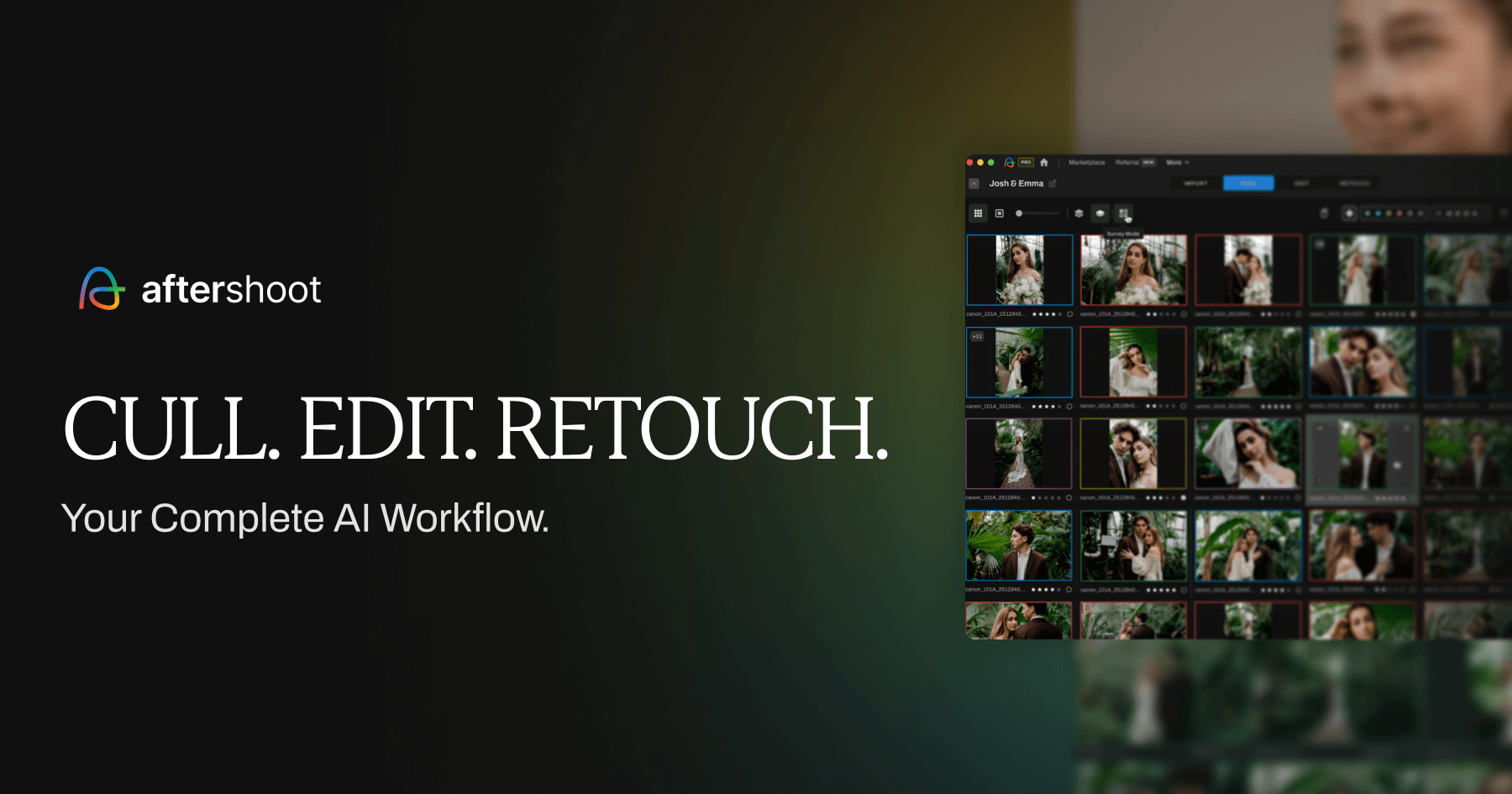
If you find Narrative's manual scene review too time-consuming, Aftershoot is the closest direct competitor. Its defining feature is a dual-engine architecture:
- AI-Automated mode: The software analyzes your entire shoot, detects duplicates, evaluates blinks and motion blur, picks the best frames automatically, and presents a curated set of keepers for your review.
- AI-Assisted mode: Similar to Narrative Select, the software groups duplicate shots, highlights face details, and tags technical issues while leaving every final keeper selection to you.
According to Aftershoot's culling documentation, the software also features "Cull to Target", allowing photographers to specify an exact target count of deliverables (for example, 600 final wedding keepers from a 4,000-shot day). The software automatically adjusts sensitivity thresholds to hit that target. All processing runs 100% locally on your computer without cloud uploads. Ratings export to Lightroom Classic, Capture One, Photo Mechanic, and Adobe Bridge.
Pricing and plans: Sourced from Aftershoot's official pricing page:
- Aftershoot Select (Culling only): $10/month billed annually ($120/year) or $15 billed monthly, with unlimited images and shoots.
- Editing modules: AI editing and retouching are separate products. Aftershoot Edit costs $30/month billed annually ($360/year), Retouch costs $20/month billed annually ($240/year), or all three come bundled in Aftershoot Complete for $45/month billed annually ($540/year).
- Free trial: 30-day free trial with full access and no credit card required.
Consider it if: You want the option of a fully automated first-pass cull to review, with local processing that doesn't rely on cloud uploads.
Keep in mind: Aftershoot Select is strictly for culling. If you also need AI color editing, factoring in the Edit module raises the annual cost to $480–$540/year.
Try Aftershoot freeVendor site. May be an affiliate link.
FilterPixel
If you want AI analysis to run in the cloud
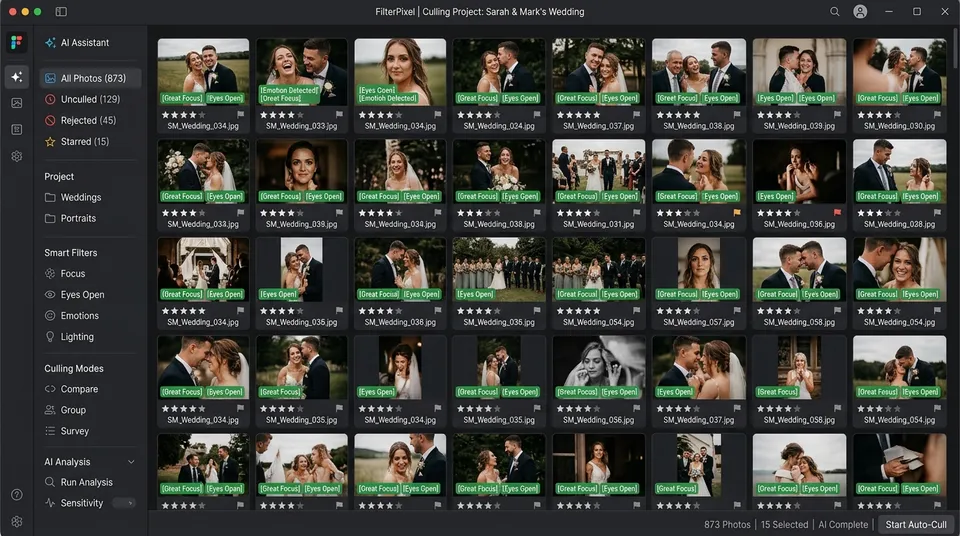
FilterPixel is a desktop application for macOS and Windows whose heavy AI analysis executes in the cloud rather than stressing your local CPU and GPU.
According to FilterPixel's official DeepCull architecture documentation, your original RAW files never leave your computer. When you import a shoot, the desktop application generates lightweight low-resolution previews on your machine and uploads only those preview files to FilterPixel's cloud for AI scoring. Full-resolution RAW files remain on your local drive throughout the process and are never uploaded or stored on FilterPixel's servers.
FilterPixel advertises specialized "DeepCull" AI models tuned for specific photography genres, including weddings, portraits, and sports events. Because analysis occurs server-side, hardware load on entry-level laptops is minimal, though workflow responsiveness remains dependent on internet upload speeds.
Pricing and plans: According to FilterPixel's official pricing page:
- Standard: $14.99/month on annual billing ($180/year) or $19.99 billed monthly. Includes unlimited Basic culling plus 20 DeepCull shoots per year on annual billing (or 2 shoots per month on monthly billing). Additional DeepCull shoots cost $7.99 each.
- Pro: $34.99/month on annual billing ($420/year) or $49.99 billed monthly, including unlimited Basic culling plus 70 DeepCull shoots per year on annual billing (or 6 shoots per month on monthly billing).
- Studio: $64.99/month on annual billing ($780/year) or $99.99 billed monthly, including unlimited Basic culling plus 140 DeepCull shoots per year on annual billing (or 12 shoots per month on monthly billing).
- Free trial: FilterPixel provides a free trial with DeepCull and Basic project access to test automated and assisted culling without requiring a credit card.
Consider it if: You work on a less powerful laptop and want cloud servers to handle heavy computer vision workloads while keeping original RAW files on your local drive.
Keep in mind: You must monitor your plan's DeepCull shoot allowances; exceeding your included quota incurs per-shoot fees of $7.99 each.
View FilterPixelVendor site. May be an affiliate link.
Photo Mechanic
If you want fast manual culling and the option to own it
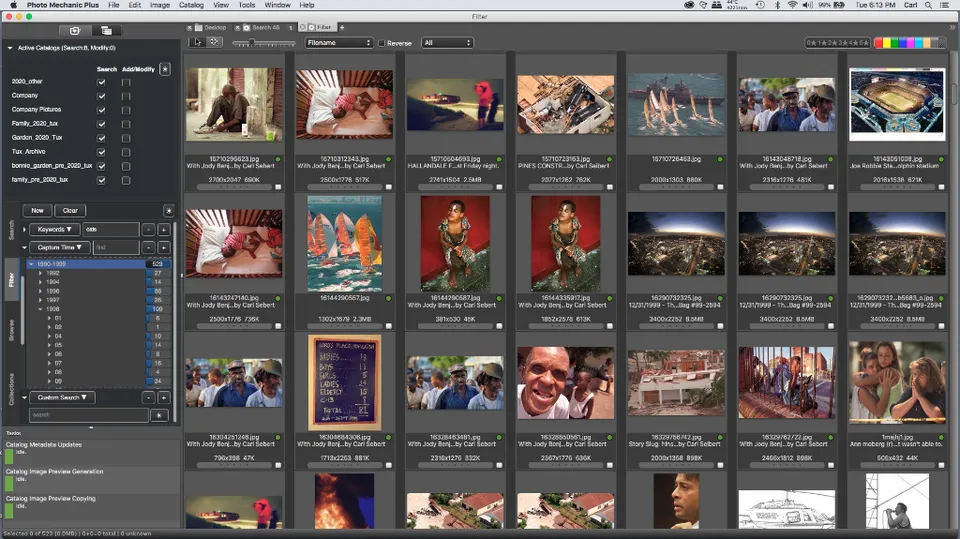
For photographers who want to escape recurring subscriptions and do not need artificial intelligence, Photo Mechanic by Camera Bits is an established industry benchmark for high-speed ingest and manual culling among sports, event, and documentary photographers.
Unlike AI tools that scan pixels for focus and expression scores, Photo Mechanic reads embedded JPEG previews directly from memory cards or local storage with near-instantaneous display. Photographers can toggle full-screen previews, rate keepers with numeric hotkeys, and apply structured IPTC metadata at the speed of keypresses.
Pricing and licensing: Sourced from the Camera Bits official store:
- Photo Mechanic (Browsing & Ingest): $299 perpetual one-time license, or a subscription at $14.99/month or $149/year.
- Photo Mechanic Plus (Adds Catalog Database): $399 perpetual one-time license, or a subscription at $24.99/month or $249/year.
Perpetual licenses include 12 months of official software updates and technical support. After 12 months, the software remains fully functional on supported operating systems without mandatory upgrade fees. Each license allows one user on up to two computers. Camera Bits advertises a 30-day free trial.
Consider it if: You want maximum manual speed, robust IPTC metadata handling during ingest, and the financial peace of mind of a one-time perpetual purchase.
Keep in mind: Photo Mechanic does not provide AI focus scores, face zoom panels, or automated keeper suggestions. You evaluate every frame manually.
View Photo MechanicVendor site. May be an affiliate link.
Excire Foto 2027
If you want local AI with no subscription
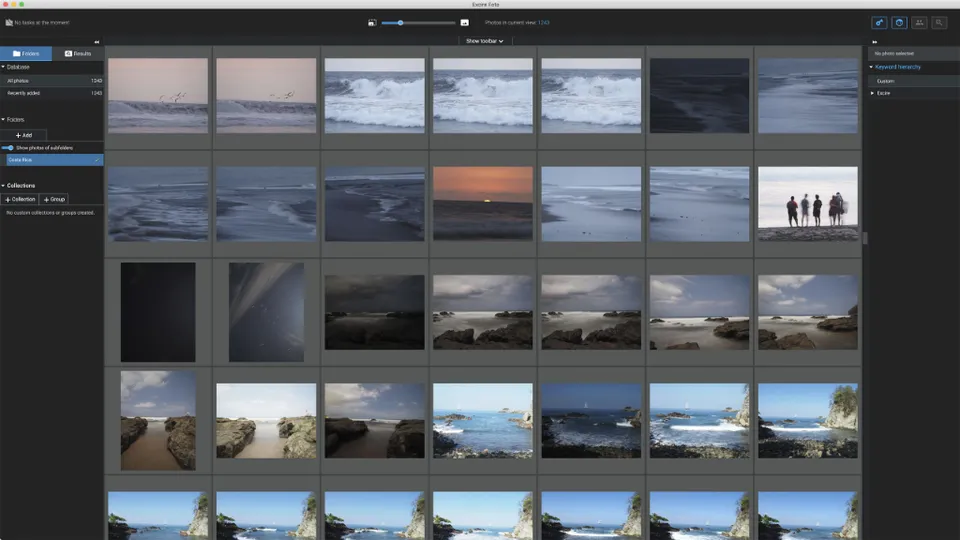
Excire Foto 2027 is a standalone digital asset management (DAM) and photo-organization application for macOS and Windows that runs proprietary AI models 100% locally on your computer with zero cloud dependence.
Unlike Narrative Select, which operates as a lightweight front-end ingest utility, Excire Foto is a complete image database. It automatically analyzes your catalog for visible subjects, facial expressions, and composition. For culling, Excire includes:
- Smart Selection: Excire's official documentation highlights an automated Smart Selection tool that evaluates sharpness, subject framing, and facial expressions (including smiles and open eyes) to recommend keepers across duplicate sequences.
- Survey Mode: Allows side-by-side comparison of duplicate frames to assign star ratings and color labels.
- AI Search: Search entire multi-year archives by text prompt, color dominance, or reference photo.
Note that Excire Foto is a separate product from Excire Search, which is a plugin designed specifically for Lightroom Classic.
Pricing and licensing: Sourced from Excire's official product facts page:
- New License: $249 / €229 one-time perpetual purchase.
- Upgrade Pricing: Existing customers can upgrade for $99 from the 2024 version, or $79 from the 2025 version.
- Free Trial: An officially documented 14-day free trial with complete feature access and no credit card required.
Consider it if: You want AI-assisted culling combined with permanent catalog management and one-time perpetual ownership.
Keep in mind: Excire Foto is an extensive catalog manager rather than an ingest-to-Lightroom pipeline. Its culling interface is built around database organization rather than the rapid hotkey workflows of dedicated culling tools.
View Excire FotoVendor site. May be an affiliate link.
Imagen
If editing matters as much as culling
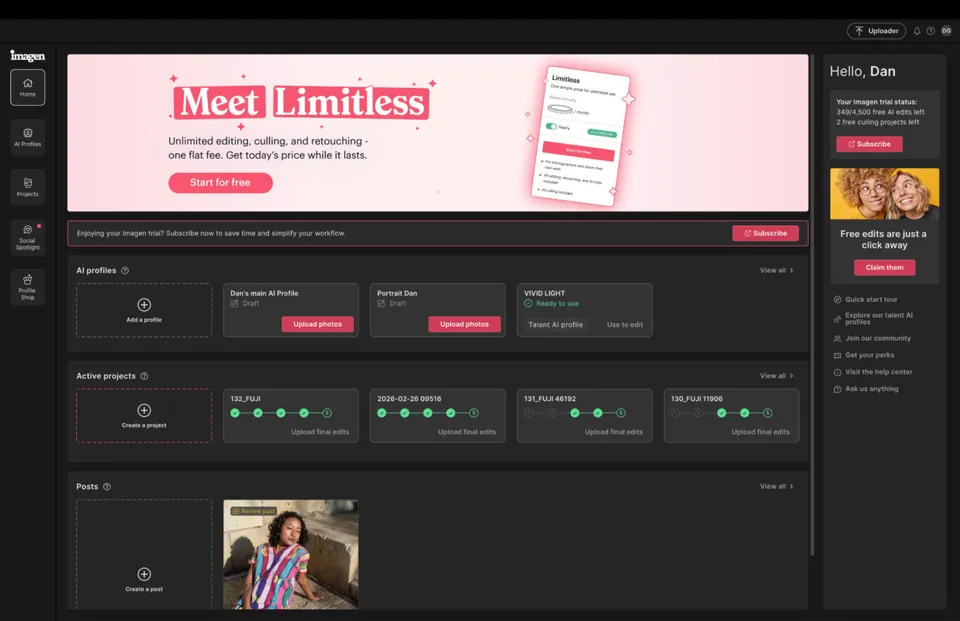
If you use Narrative primarily for its combination of culling and AI editing, Imagen represents the strongest integrated alternative.
Imagen began as an AI personalized photo-editing platform for Adobe Lightroom Classic catalogs and has expanded into automated AI culling. According to Imagen's official culling documentation, its engine analyzes focus, expressions, blinks, and duplicate clusters in the cloud, syncing ratings and custom color profiles directly back into your Lightroom catalog.
Importantly, culling does not require an Adobe catalog: according to Imagen's support documentation, photographers can review, compare, filter, and finalize selections directly within Imagen's standalone desktop Culling Studio before deciding whether to export or continue into editing.
Pricing structure: Verified on Imagen's official pricing page:
- Pay-as-you-go (PAYG) editing: Charges from $0.05 per edited photo, subject to a $7/month minimum account spend commitment. The $7/month is not an added surcharge; it is credited directly toward your photo editing usage and rolls over indefinitely if unused. Optional AI tools (AI Crop, AI Straighten, Subject Mask, Denoise) cost $0.01 per photo each.
- AI Culling on PAYG: Available as a dedicated add-on subscription at $12/month billed annually ($144/year), or $18/month billed monthly. Subscribing to AI Culling satisfies and covers the $7/month minimum account spend commitment.
- Limitless Plan: $129/month billed annually ($1,548/year) or $165/month billed monthly. Designed for solo photographers, Limitless includes unlimited personalized AI editing and unlimited AI culling with no per-photo fees. Studios with multiple editors require the Business plan.
- Free Trial: New accounts receive 1,000 free AI editing credits and a culling trial without requiring upfront billing details.
Consider it if: You want a unified post-production workflow where AI culling and catalog-wide AI editing are handled by a single vendor.
Keep in mind: While Imagen allows you to review and finalize selections independently inside its Culling Studio, its primary downstream post-processing integration is designed around Adobe Lightroom Classic workflows.
View ImagenVendor site. May be an affiliate link.
So, which alternative?
Choose Aftershoot if you want the option of a fully automated first pass that selects your keepers for review, processed locally on your workstation without cloud uploads.
Choose FilterPixel if you prefer cloud servers to process heavy computer vision models while keeping your original RAW files safely on your local drive.
Choose Photo Mechanic if you want fast manual browsing speed, robust metadata ingest, and the freedom of a one-time perpetual license with zero AI dependencies.
Choose Excire Foto 2027 if you want local AI search, automated Smart Selection, and a one-time perpetual license that doubles as an archive management tool.
Choose Imagen if you want AI culling tightly integrated with personalized catalog-wide AI editing under either flexible pay-as-you-go pricing or a flat Limitless subscription.
One final consideration: If your only frustration with Narrative Select is that Lite lacks Scenes View and the Close-ups panel, upgrading to the Standard plan ($20/month billed annually) provides the full feature set without switching platforms. Whichever alternative you explore, trial it on a previously culled wedding or portrait gallery to measure how closely its keeper suggestions match your personal creative standards.