
Imagen AI Review 2026: Is It Worth It for Photographers?
By The Photo Testers · Updated September 2026 · 8 min read
We research every tool and keep pricing current. Some links below are affiliate links, which means we earn a commission if you sign up through them. It does not change what we write. Pricing is current as of September 2026, but always confirm on the vendor's own page.
Imagen AI is the strongest AI editor for photographers who live in Lightroom Classic and care most about editing quality and consistency. It learns your style from your past catalogs and applies it across a whole gallery with genuinely impressive skin tones and color.
Who it's for: wedding and portrait photographers with a consistent editing style who want edits that look like theirs, and who shoot enough volume to justify per-photo pricing.
Who should look elsewhere: high-volume shooters watching cost (the per-photo model adds up), anyone who needs to work offline, or anyone whose main bottleneck is culling rather than editing.
Bottom line: the best pure editor here, with a pricing model that rewards moderate volume and punishes very high volume.
What Imagen AI is
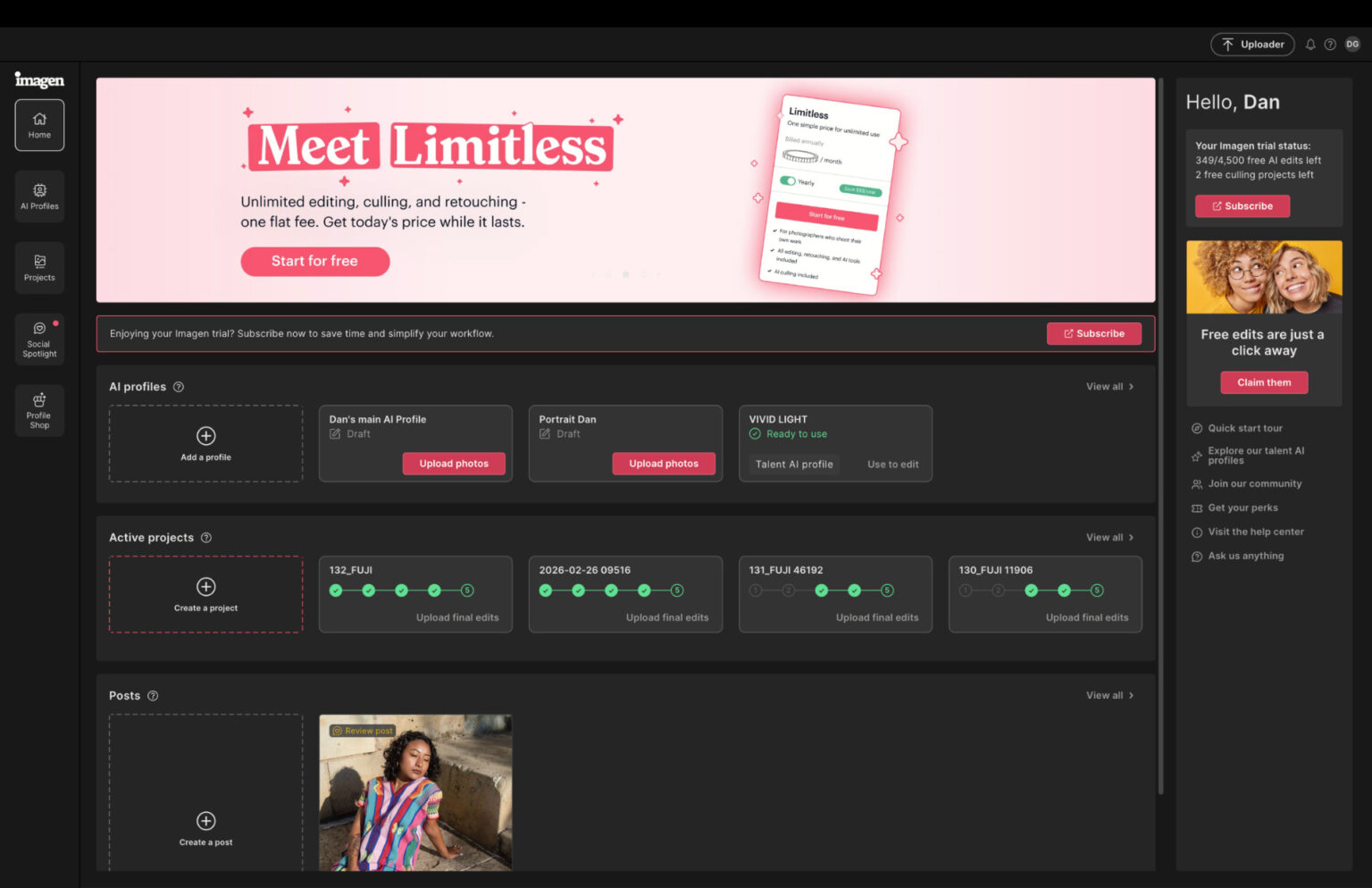
Imagen AI is AI editing software that learns your personal editing style and applies it automatically across large batches of photos inside Lightroom Classic. Instead of hand-editing 3,000 wedding images, you run them through Imagen and it applies your look, white balance, exposure, contrast, color, tone, in your style, in minutes.
Its reputation is built on quality and consistency. Photographers who use it routinely describe being "blown away" at how closely it matches their own editing decisions, and it has captured a significant share of the professional batch-editing market. It also added AI culling more recently, though editing is unmistakably its core.
Pricing: pay per photo
This is the most important thing to understand about Imagen, and the biggest difference from flat-rate rivals like Aftershoot. Imagen charges per image:
- Pay-as-you-go: around $0.05 per photo, with a $7/month minimum
- Annual volume tiers: 18,000 to 72,000 photos per year, with the popular 36,000-photo tier at roughly $127.50/month
- Add-on AI tools (crop, straighten, subject masking) cost about $0.01 per photo each, on top
That last point matters: turn on several add-ons and the effective rate climbs well above the headline $0.05. The honest read on this model: it's genuinely accessible at low-to-moderate volume (you pay only for what you process), and it gets expensive fast at wedding volume. A photographer running two 3,000-image weddings a month is looking at $300 before add-ons, where a flat-rate tool would be a fixed fee.
There's a free trial with starter credits so you can test it on a real gallery before committing.
Editing: the reason to buy
Editing is where Imagen shines, and it's the strongest here. It builds a Personal AI Profile by analyzing your previously edited Lightroom catalogs, ideally 3,000 to 5,000 images or more, and the more consistent your back catalog, the more accurately it clones your style. Photographers consistently report that the results are remarkably close to their own edits, especially for color correction, color grading, exposure, and tone.
The standout is skin tones. Reviewers repeatedly single out Imagen for nailing skin tones on weddings and portraits, which is exactly where sloppy AI editing usually falls apart. It also applies skin smoothing and local adjustments (via masking) across a whole gallery at once, a real time-saver for portrait work.
For newer photographers without a big edited catalog, Talent Profiles are the clever answer: pre-built models trained on the styles of well-known photographers, functioning like adaptive presets that adjust to lighting rather than applying one flat look. It's the fastest way to get professional-looking edits before you've developed (and edited) your own signature style.
The honest limitations
This is where a real review earns its keep, so here's the candid picture.
It's not a finish-line tool. Even enthusiastic users are clear: you don't run photos through Imagen and send them straight to clients. Most still do a polishing pass, AI masking, subject removal, tweaks on hero images. Imagen gets you to roughly 95 percent, and your artistry finishes the last 5.
The culling is genuinely weak at low volume. This is the most useful caveat we found: photographers who shoot conservatively (under about 2,000 frames per event) report Imagen's culling suggestions unreliable enough to skip entirely. If culling is your real pain point, this is not the tool to buy for it, a dedicated culler like Aftershoot or Narrative does it far better.
It's cloud-only and Lightroom Classic only. Imagen sends Smart Previews to its cloud servers for processing, so you need a stable internet connection and you cannot work offline. And it's built around Lightroom Classic, if you use Capture One or Lightroom's other versions, confirm compatibility before subscribing.
Edge cases still need you. On tricky high-ISO or unusual lighting, Imagen applies a correction, but it may not be the one you'd have chosen. Those images benefit from review.
Pros and cons
Good
- The strongest AI editing quality here, especially skin tones
- Learns your personal style closely from your catalogs
- Talent Profiles give newer photographers an instant professional look
- Batch skin smoothing and local adjustments across a gallery
- Pay only for what you process (good at low-to-moderate volume)
Not so good
- Per-photo pricing gets expensive at high volume; add-ons stack up
- Cloud-only, so no offline work; needs fast internet
- Lightroom Classic only
- Culling is unreliable at lower frame counts, don't buy it for culling
- Still needs a human polishing pass; not a finish-line tool
Who Imagen AI is right for
Buy it if you edit in Lightroom Classic, editing quality and consistency are your top priority, you have a consistent style (or want to borrow one via Talent Profiles), and your volume is low-to-moderate enough that per-photo pricing works out.
Look elsewhere if you shoot very high volume and want predictable costs (Aftershoot's flat fee), you need to work offline (Aftershoot again), or your main bottleneck is culling rather than editing (Aftershoot or Narrative Select).
So, is Imagen AI worth it?
If editing is your bottleneck and you value quality, yes, it's the best AI editor we've tested, and the skin-tone consistency alone wins over a lot of wedding and portrait photographers. The question is rarely whether it's good; it's whether the per-photo pricing fits your volume. Run the math on your actual monthly image count before committing, and if it comes out expensive, weigh it against a flat-rate tool.
Use the free trial the honest way: run it on a real gallery you've already edited yourself, then compare Imagen's output to yours. If it matches your style closely and the cost works for your volume, it will save you serious time.
Try Imagen AIFAQ
How much does Imagen AI cost? Imagen uses per-photo pricing: about $0.05 per image with a $7/month minimum on pay-as-you-go, or annual volume tiers (the popular 36,000-photo tier is roughly $127.50/month). Add-on tools like crop and masking cost about $0.01 per photo each on top. It's cheaper at low volume and expensive at high volume.
Is Imagen AI better than Aftershoot? For pure editing quality, generally yes, Imagen is the stronger editor, especially for skin tones. But Aftershoot is better value at high volume (flat pricing), works offline, and has stronger culling. Many photographers use both. See our full Aftershoot vs Imagen comparison.
Does Imagen AI work offline? No. Imagen processes in the cloud, sending Smart Previews to its servers, so you need a stable internet connection. If offline work matters, Aftershoot processes locally instead.
Can Imagen AI edit exactly like me? It gets remarkably close once it's trained on a large, consistent catalog of your past edits (ideally 3,000 to 5,000+ images). It handles color, exposure, and tone in your style well, but most photographers still do a light polishing pass on final images.
Is Imagen AI good for culling? It's weak at culling compared to dedicated tools, and photographers shooting under about 2,000 frames per event find its culling suggestions unreliable. Buy Imagen for editing; use a dedicated culler like Aftershoot or Narrative Select for culling.
Related: Aftershoot vs Imagen · Aftershoot review · Best AI culling and editing software